Here is how to create a simple Tkinter app in Python.
from tkinter import Tk, Label, Entry, Button

# Create the main window
window = Tk()

# Set the title of the window
window.title("Enter Your Name")

# Create a label to prompt the user
label = Label(window, text="Enter your name:")
label.pack()

# Create a text box for user input
name_entry = Entry(window)
name_entry.pack()

# Function to greet the user based on input
def greet():
  name = name_entry.get()  # Get the text from the entry box
  greeting = f"Hello, {name}!"
  greeting_label = Label(window, text=greeting)
  greeting_label.pack()

# Create a button to trigger the greeting function
button = Button(window, text="Greet me!", command=greet)
button.pack()

# Start the main event loop
window.mainloop()
Output
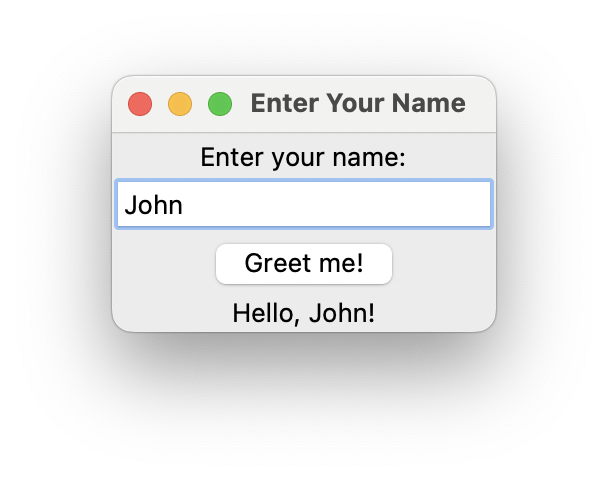
Explanation
- We import
Entry for the text box widget. - We create an
Entrywidget usingEntry(window). This creates a text box where the user can type their name. - We define a function called
greet. This function retrieves the text from the entry box using theget()method and creates a greeting message. It then creates a new label widget with the greeting message and packs it into the window. - The button is configured to call the
greetfunction when clicked using thecommand=greetoption.
Practice what you just learned
Solve Python exercises and get instant AI feedback on your solutions.
Try ActiveSkill for Free →